
35 questions · 8 topics
Frequently asked questions about the platform for universities
Short answers, in 8 topics, for the faculty’s leadership, the registry, teaching staff and the IT department.
The contents: 8 topics, one tab each
Which faculties is the platform for?
For any faculty and any subject: economics, law, computer science, engineering, languages and literature, psychology, architecture, political science and other fields. The content is specific to each subject and is written from its syllabus.
In which languages is the platform available?
The app and its user guide are available in Romanian and in English. Courses are written in Romanian or in English, according to each subject’s language of instruction.
What does the platform not include?
The platform has no video conferencing, no real-time chat and no LTI integration with other platforms. Instead, it offers the subject’s discussions, announcements, the calendar and the live room for the lecture held in the lecture hall.
Are there modules for specific fields?
Yes. For some fields of study there are additional extensions, which we can present during the demonstration on request.
How do students gain access to the platform?
Through the invitation received by email, or through the subject’s enrolment code or link, provided by the professor. The accounts are provided by the university; students do not buy anything.
What does a student find in the app?
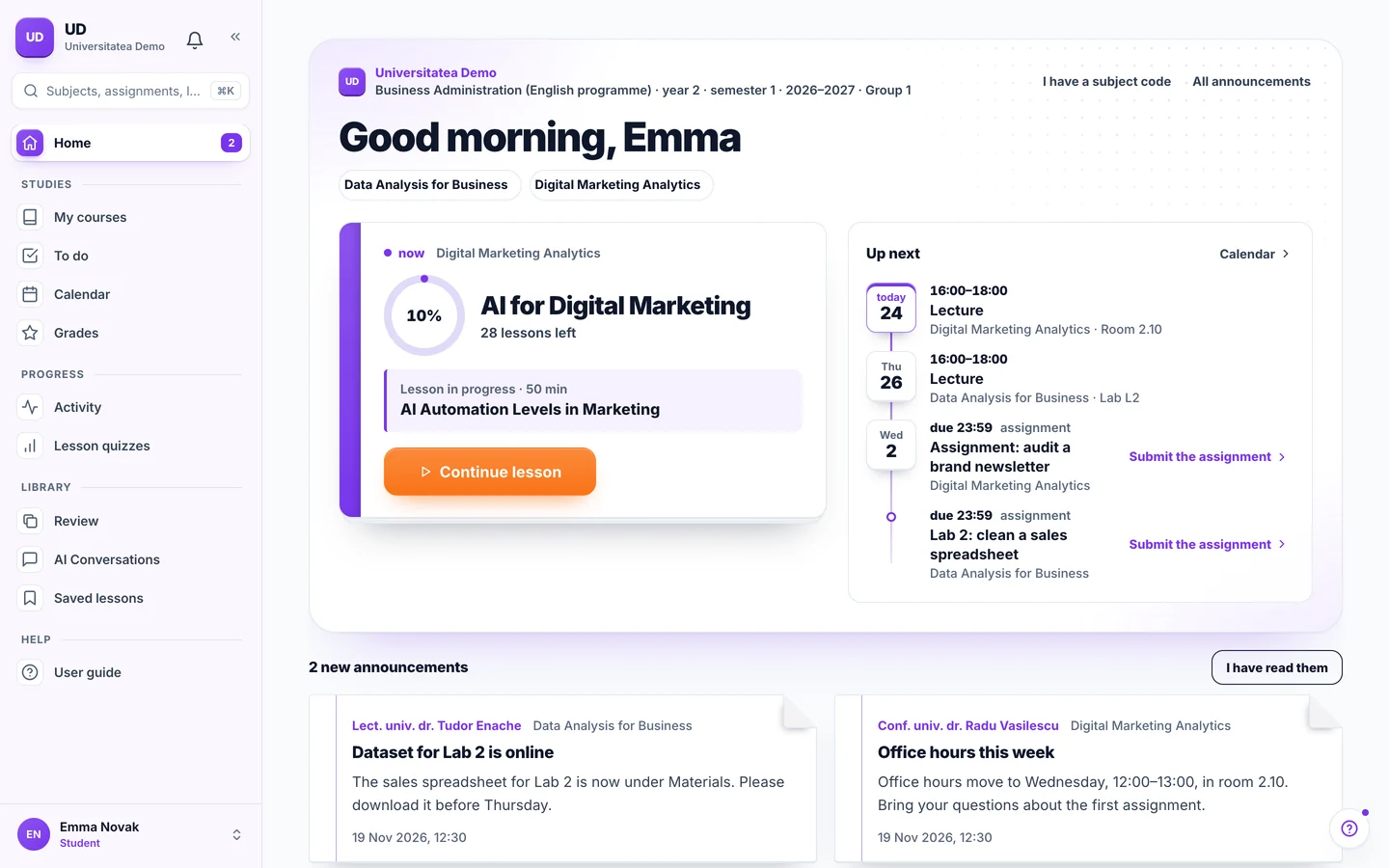
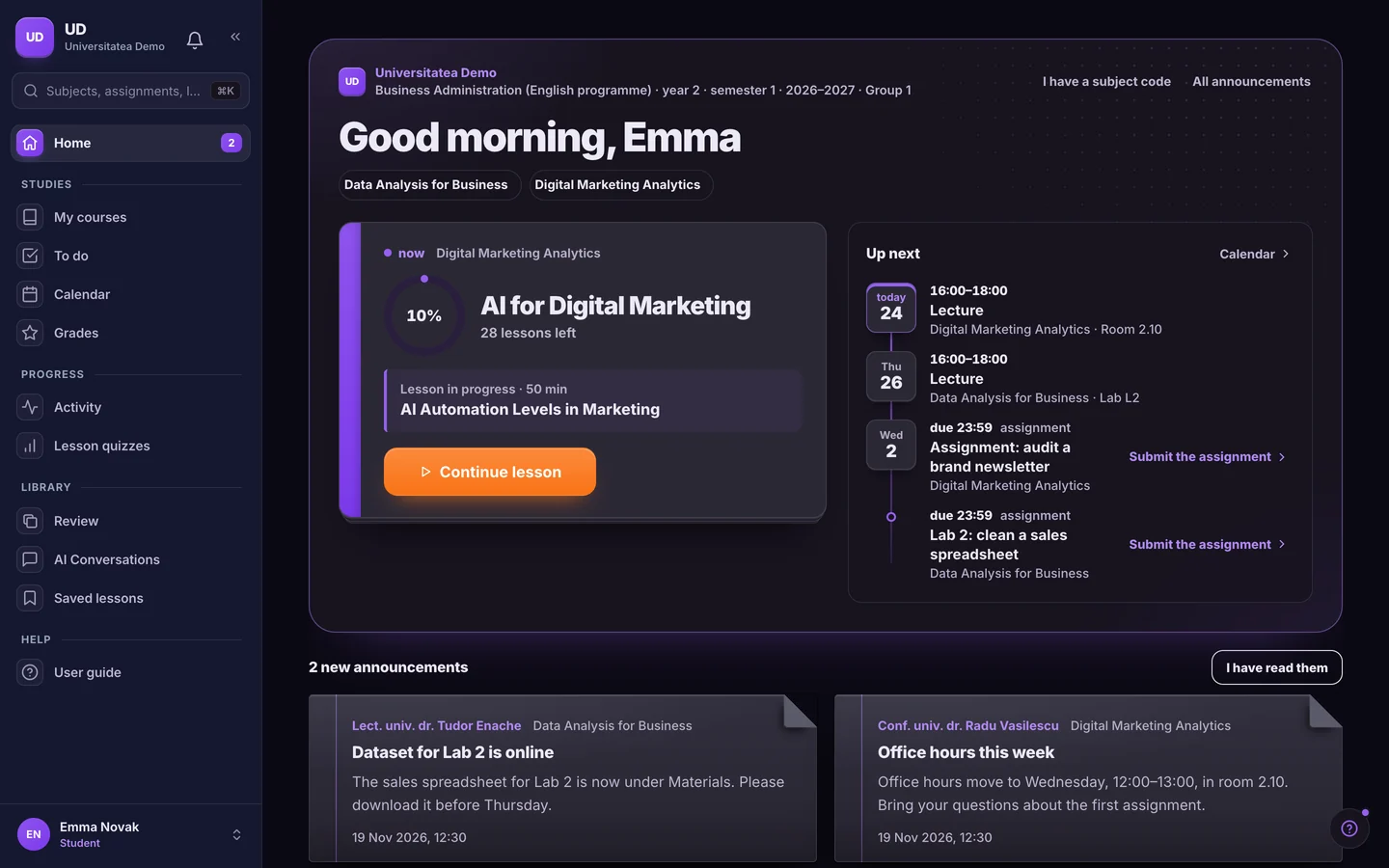
Their subjects and the subjects’ courses, assignments, tests, grades, announcements, discussions and the calendar, which they can subscribe to in their own calendar app (iCalendar). The AI Professor is available in every lesson.
Do students get notifications on their phone?
Yes, only if they opt in, and not between 22:00 and 07:00, except for the “Class is live now” notification sent when the live room starts. A professor can also send an announcement by email.
How does a student appeal a grade?
From the Grades page, in the grade’s history, once the grade is published in the gradebook and within the deadline set by the subject lead: 48 hours by default, from 24 hours to 7 days. One appeal per grade and session; the lead either upholds it with a new grade or rejects it with reasons.
Does artificial intelligence grade anything?
No. The professor grades the assignments, directly or on the assignment’s rubric. The score of an online test is calculated from the answer key set by the professor, and any questions suggested by AI are checked by the professor before the test can be published.
What does the live room offer?
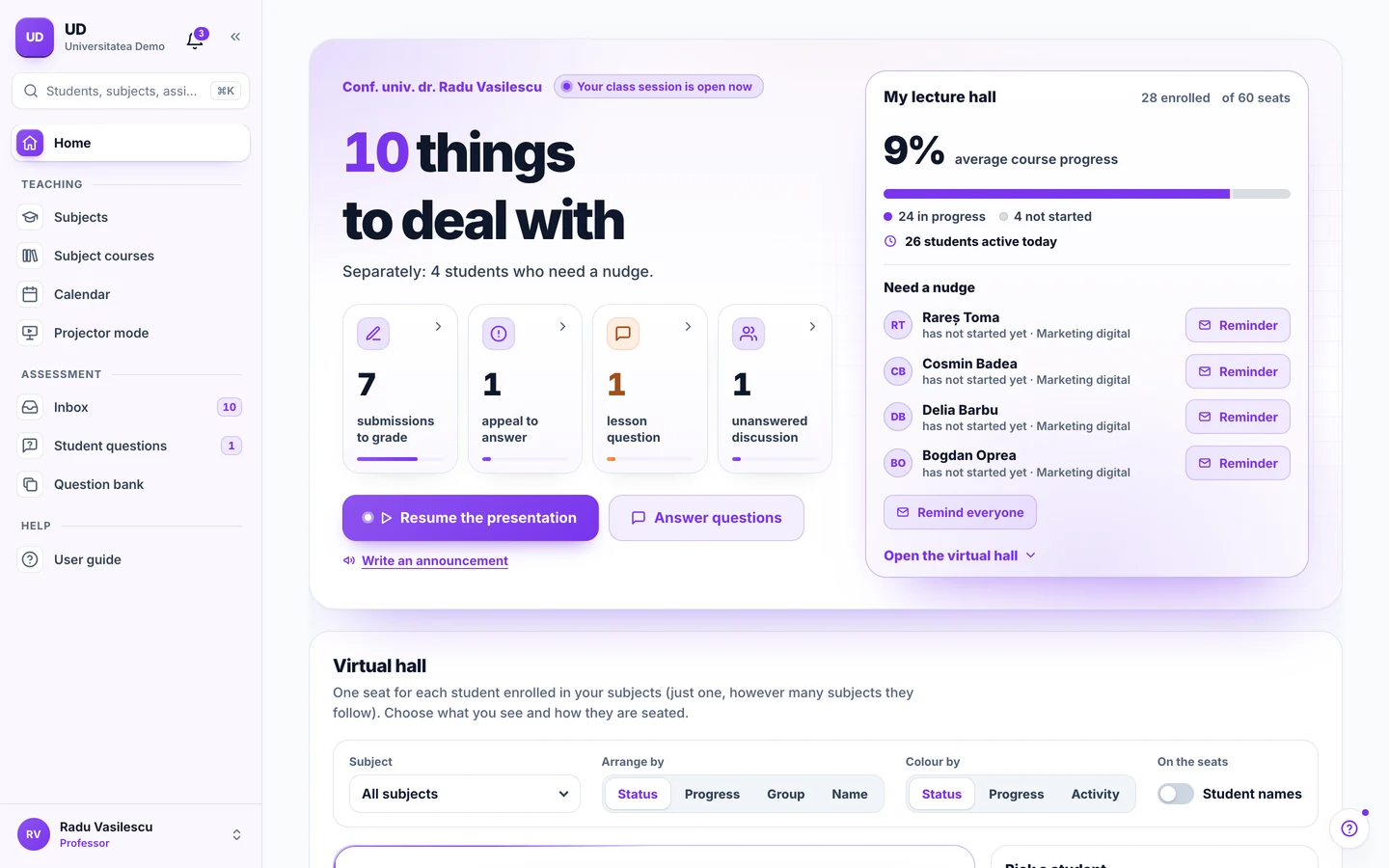
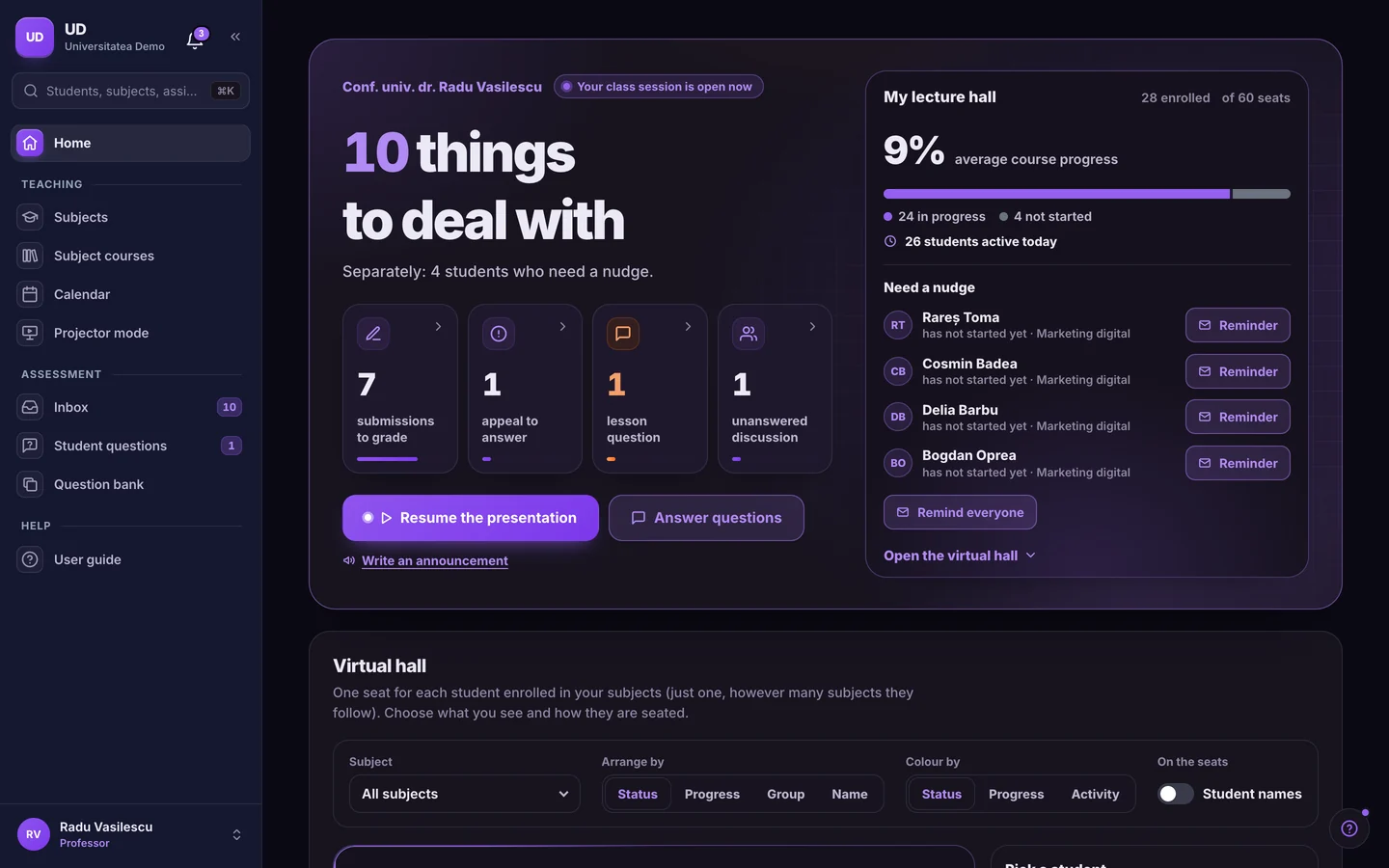
The lecture is presented on the projector from the professor’s account: each section of the lesson becomes a slide, next to the materials, the attendance slide, the quick question and a break with a timer. Attendance is taken with a QR code and a four-digit code that change every 10 seconds; no names appear on the projector. The attendance sheet stays the professor’s, who can correct it at any time: present, late, absent or excused.
Can questions be reused from one academic year to the next?
Yes. Every professor has their own Question bank: questions can be imported from a spreadsheet or from text in Word, written directly in the app, or suggested by AI and then confirmed by the professor.
When do students see their gradebook grades?
A component’s grades appear in the student’s gradebook only when the subject lead publishes them, and the final grade is published only when the weights add up to 100% and every component is published. The score of an assignment or a test shows on its own page as soon as it exists.
Can the subject lead work with assistants?
Yes. The subject lead adds assistants to the subject’s team, each on a professor seat. The assistant teaches alongside the lead: assignments, tests, entering grades, attendance, the calendar, materials, announcements, discussions and extensions. The gradebook structure and publishing the final grade, the syllabus, exam papers, appeals and the team stay with the lead; settings, courses, enrolments and groups are managed by the lead or the university administrator.
How are the gradebook and the examination sessions organised?
The gradebook has weighted components (out of 10 or 100), the regular, resit and grade-improvement sessions, and appeals. It is generated as a PDF with Student ID numbers, ready to sign.
04Administration · 5 questions
Running the university on the platform
More on the Administration pageWho administers the university on the platform?
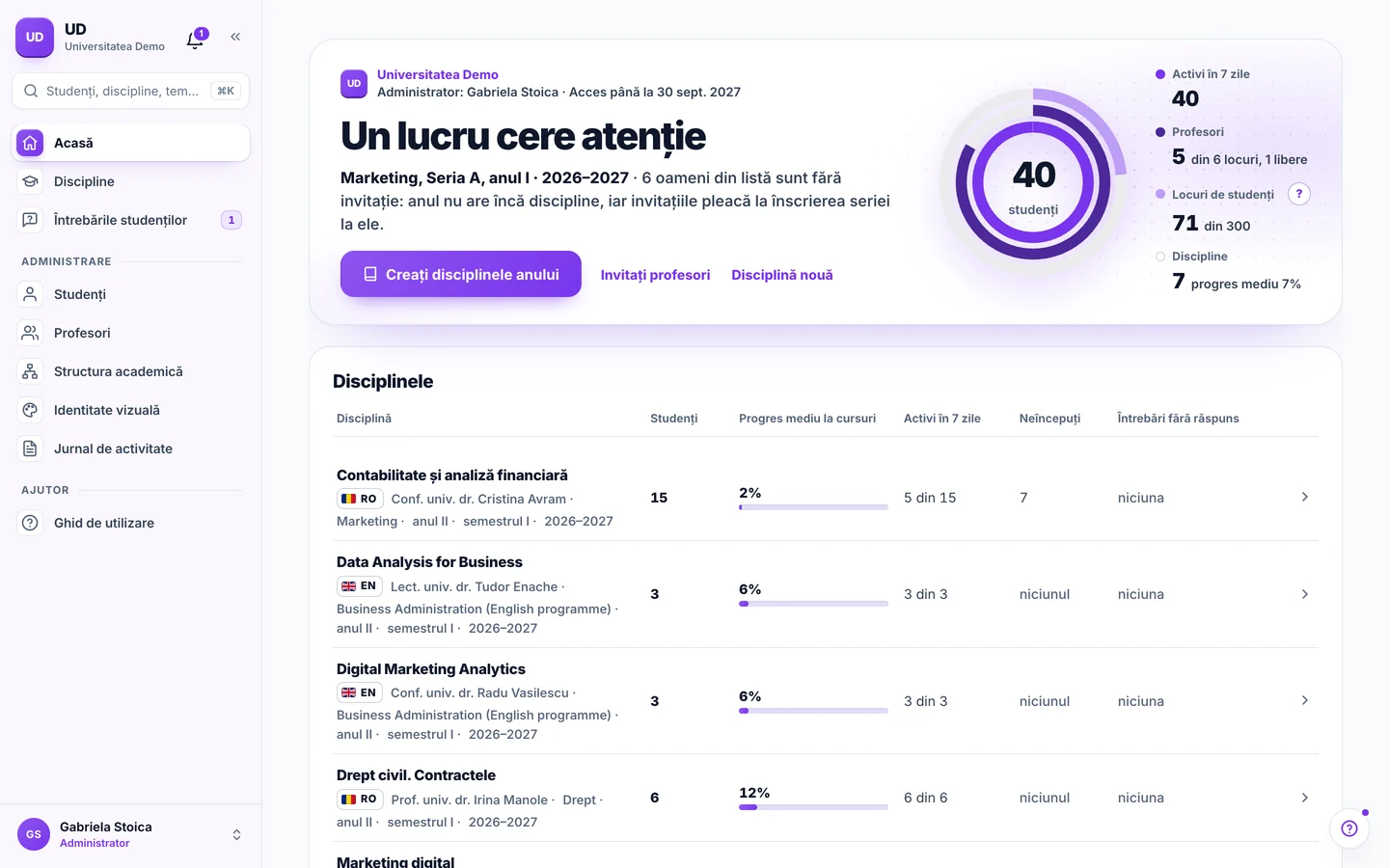
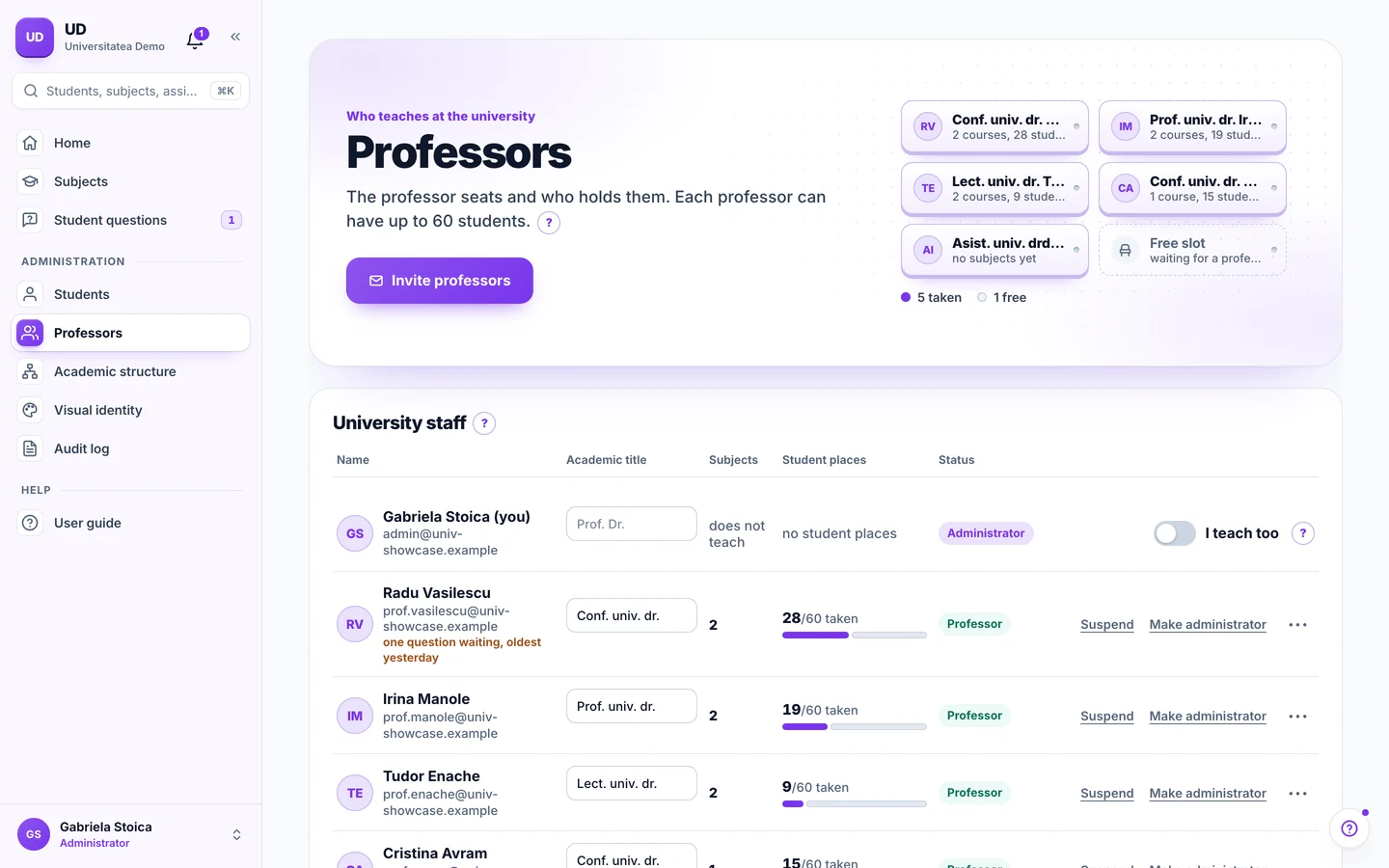
The university administrator, usually the dean’s office or the registry. The administrator sets up the structure (faculty, study programme, year, series and group), loads the series lists, checked row by row, invites professors and sees professor seats taken, invited and available. The administrator may also teach, and then occupies a professor seat.
In what format does the registry send a series list?
CSV, XLSX, XLS or ODS, or a table pasted from Excel or an email, up to 2,000 rows. Before saving, each row shows what will happen: it joins the list, its name or group is corrected, it stays the same, it is invalid (with the reason), it appears twice or it goes over the series limit. Formulas in the file are never executed, and the Student ID is recognised by its column header. The list enrols nobody: the series is then enrolled in the year’s subjects, with a preview per subject of who joins directly, who is invited and how many seats are missing.
Can the app carry the university’s visual identity?
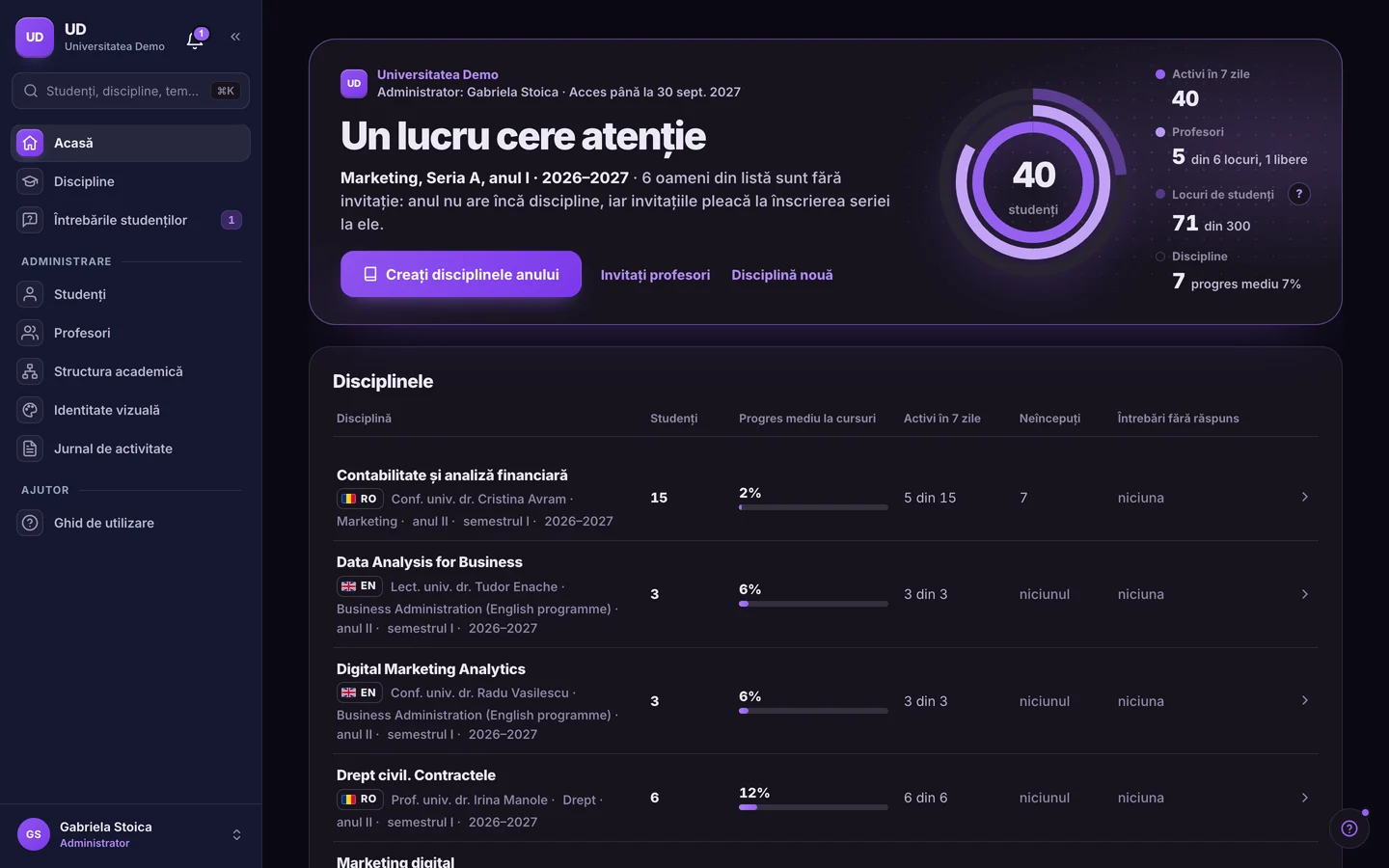
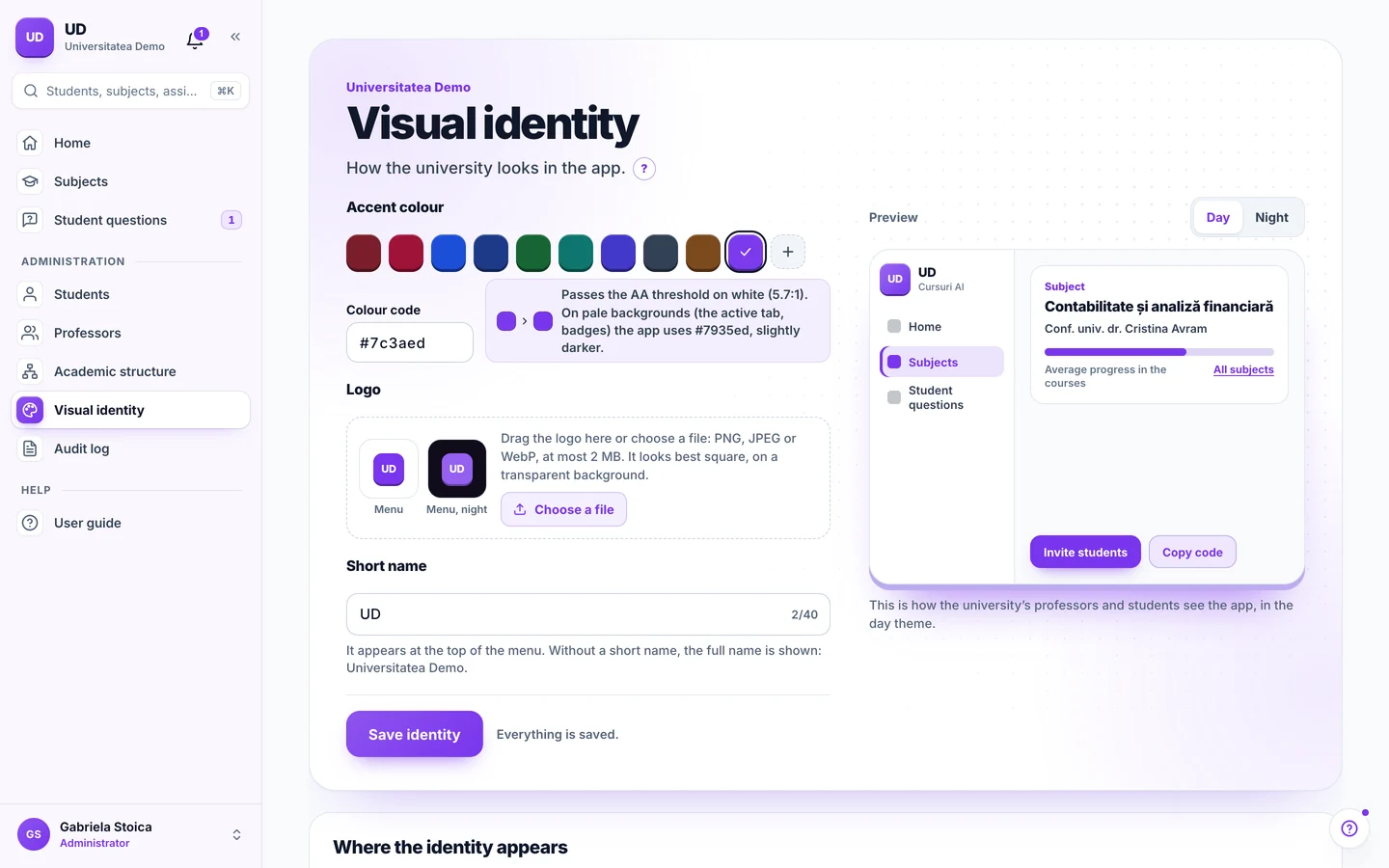
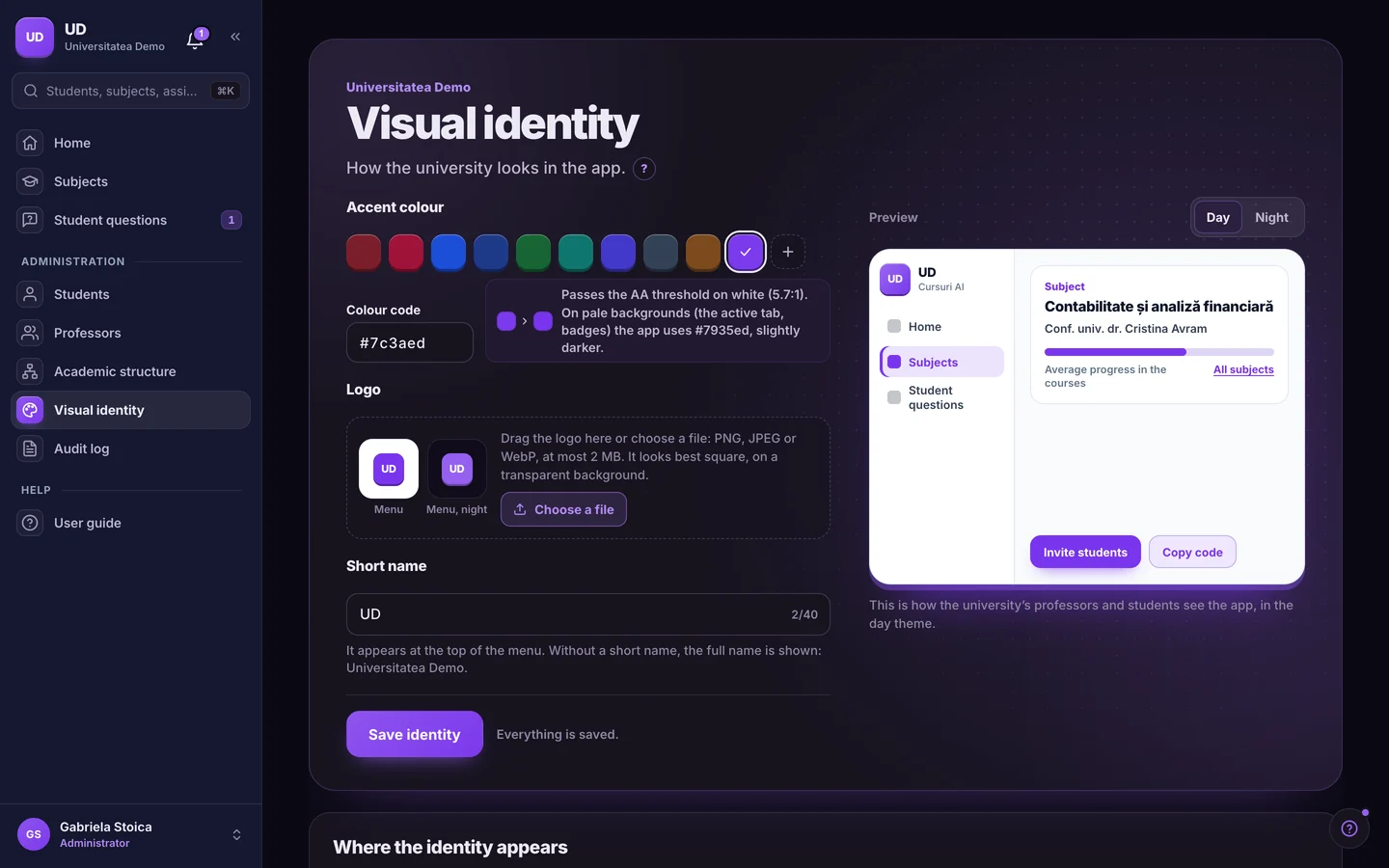
Yes. The university’s logo, accent colour and short name appear in the app, on the joining pages and in emails, whose sender is “University by Cursuri AI”. The colour is chosen from ten suggested shades or by any colour code, and its contrast is checked: below 4.5:1 on white, the app uses a darker shade of the same colour.
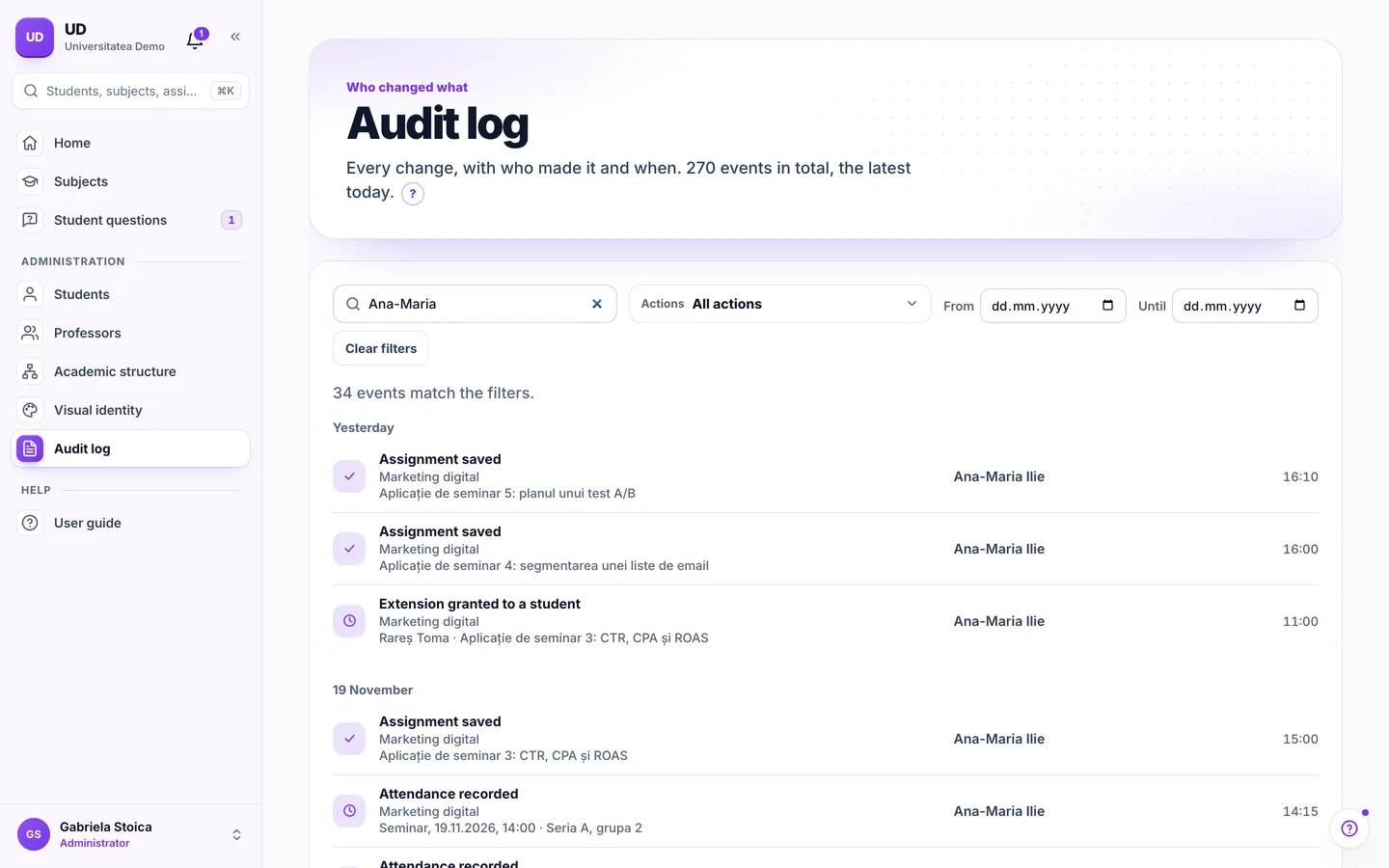
What does the audit log record?
Important actions, with their author and time, in nine categories, from people and access to structure and cohorts. For a changed grade, the log keeps the old and the new value. Only the university administrator sees the log.
How does the university download its data?
The administrator can download, at any time, an archive in parts: members, structure, series lists, subjects, enrolments, the gradebook by session, attendance, progress, tests, extensions, appeals, the log, materials and submissions. Tables are CSV, each part is checked by the antivirus, and links are valid for 7 days.
Who writes the courses?
The Cursuri AI team, working from the subject’s syllabus: modules, lessons and quizzes, in Romanian or in English. The course remains attached to the subject it was written for.
What does the AI Professor do in the lesson?
It explains the lesson and answers questions, and is clearly marked as AI. The questions students send from the lesson reach the subject’s professor, who replies under their own name.
Do students receive certificates?
Certificates are switched off by default. If the university switches them on, they are private Certificates of Completion for a course, not diplomas or academic records.
Where is the data hosted?
In the European Union: the platform, the accounts, the courses, the grades and the gradebook, the materials and the audit log are hosted in Frankfurt, and the database has a daily copy in Ireland. Questions to the AI Professor are not used to train the model. The providers and their safeguards are described in the privacy notice.
How are uploaded materials kept?
In private, encrypted storage with no public addresses; every download goes through the app, which checks the requester’s right. The file’s structure is checked on upload, and the antivirus scan runs before students can open it; a dangerous file is blocked, deleted and recorded in the log.
How are the accounts protected?
The app runs on its own domain, separate from this website, with its own sign-in and session. Wrong sign-in attempts are limited per account and per network, each role’s rights are checked on the server, and important actions stay in the university’s audit log.
Who is the controller of students’ data?
For students’ study data, the university is the controller and GALIAN SOFTWARE DEVELOPMENT SRL processes it on the university’s behalf, as processor, under the contract and the data processing agreement (GDPR Art. 28), both signed before the start. For each person’s account and for conversations with the AI Professor, the controller is GALIAN SOFTWARE DEVELOPMENT SRL, as for any user of the platform.
Who can download the university’s export?
Only the administrator who requested it and the platform team. The archive comes in parts, with CSV tables, each part is scanned by the antivirus, and the link stays valid for 7 days.
07The contract and getting started · 5 questions
Cost, contract and getting started
More on the How it works pageHow is the cost determined?
The offer is sent after the demonstration and is based on professor seats, with a cap on students for each professor.
How does a university get started?
With a demonstration on the demo university. The offer, the contract and the data processing agreement follow; then the Cursuri AI team creates the university in the app and invites the administrator, who sets up the structure, loads the registry’s lists and invites the professors. Students reach their subjects through the series lists, by invitation or with the subject’s code.
What does the university prepare before the start?
The structure (faculties, study programmes and series), the registry’s list for each series, the professors’ email addresses and academic titles, the syllabuses of the subjects that will have custom courses, and the university’s logo and colour.
Is there a user guide for each role?
Yes. The in-app guide is organised by role, in Romanian and in English. Every page has a “Help” button, the main pages also have a guided tour, and quick search (⌘K) is available from any page.
What happens when the contract ends?
The order is fixed: administrators get reminders 30, 14 and 7 days and one day before the end date; then come 30 days in which data can be viewed and downloaded but not changed; then access stops and the Cursuri AI team deletes the university’s data. Administrators receive a summary of what was deleted, in figures, by email, and everyone keeps their own personal account.
08The company and the product family · 3 questions
The company behind the platform
More on the About us pageWho operates University by Cursuri AI?
GALIAN SOFTWARE DEVELOPMENT SRL, a Cluj-Napoca company founded in 2022 (tax ID RO45988048, Trade Register No. J2022002051121). The same company builds and operates the Cursuri AI platform and School by Cursuri AI, the module for schools.
How does University by Cursuri AI relate to the Cursuri AI platform?
University by Cursuri AI is the platform’s module for universities: its lessons run on the same engine, with progress, notes, the quiz and the AI Professor. The university does not receive the public catalogue’s courses; each subject has its own custom courses, written by the Cursuri AI team from the syllabus, and the app has its own domain, app.university-ai.ro.
How does University by Cursuri AI differ from School by Cursuri AI?
They are separate modules, each with its own domain, app, sign-in and rules. School by Cursuri AI brings ready-to-teach artificial intelligence lessons for grades 5–12 (school-ai.ro); University by Cursuri AI organises the faculty’s subjects: custom courses, assignments, tests, the gradebook and attendance (university-ai.ro).
Can’t find the answer? Write to contact@cursuri-ai.ro, call +40 376 302 087 or leave a message in the demo form.
University by Cursuri AI
Still have a question?
Book a demo: we answer your questions with the people who will use the platform.
- A demonstration on the demo university, for the faculty’s leadership, the registry and the teaching staff
- An offer based on professor seats, with a student cap for each seat
- The data processing agreement, signed before the first student enrols