
Security and data
The university’s data security, point by point
Students’ study data is processed on the university’s behalf, under the data processing agreement (GDPR Art. 28). Below, each rule as it works in the app.
Access to the data, layer by layer: from the website to the university’s log
01GDPR and hosting
Where the data lives and on whose behalf it is processed
The platform and its data are hosted in the European Union, in Frankfurt; the database has a daily backup, also in the EU, in Ireland.
| Data | Location | Form |
|---|---|---|
| Accounts, structure, courses, assignments, tests, the gradebook, attendance and the audit log | Frankfurt · EU | the app’s database |
| Materials and students’ submissions | Frankfurt · EU | private, encrypted storage with no public addresses |
| The database backup | Ireland · EU | daily |
The AI Professor is marked as AI and does not grade; questions to it are not used to train the model.
For each person’s account (creation, sign-in, security) and for conversations with the AI Professor, the controller is GALIAN SOFTWARE DEVELOPMENT SRL, as for any user of the platform: the platform’s privacy policy.
02Accounts and roles
Each role has its own rights
Rights are checked on the server: a professor cannot reach another professor’s subject, one university cannot reach another, and students cannot reach staff pages.
The administrator may also teach, and then occupies a professor seat. Every member of teaching staff can see the subject exactly as a student does, through a test student who is left out of staff lists, counts and exports.
03Who sees what
Professors see progress, not conversations
The information notice tells students what the professor sees about them: progress in the subject’s courses, assignments, tests, grades with appeals, attendance, the series and the student ID number.
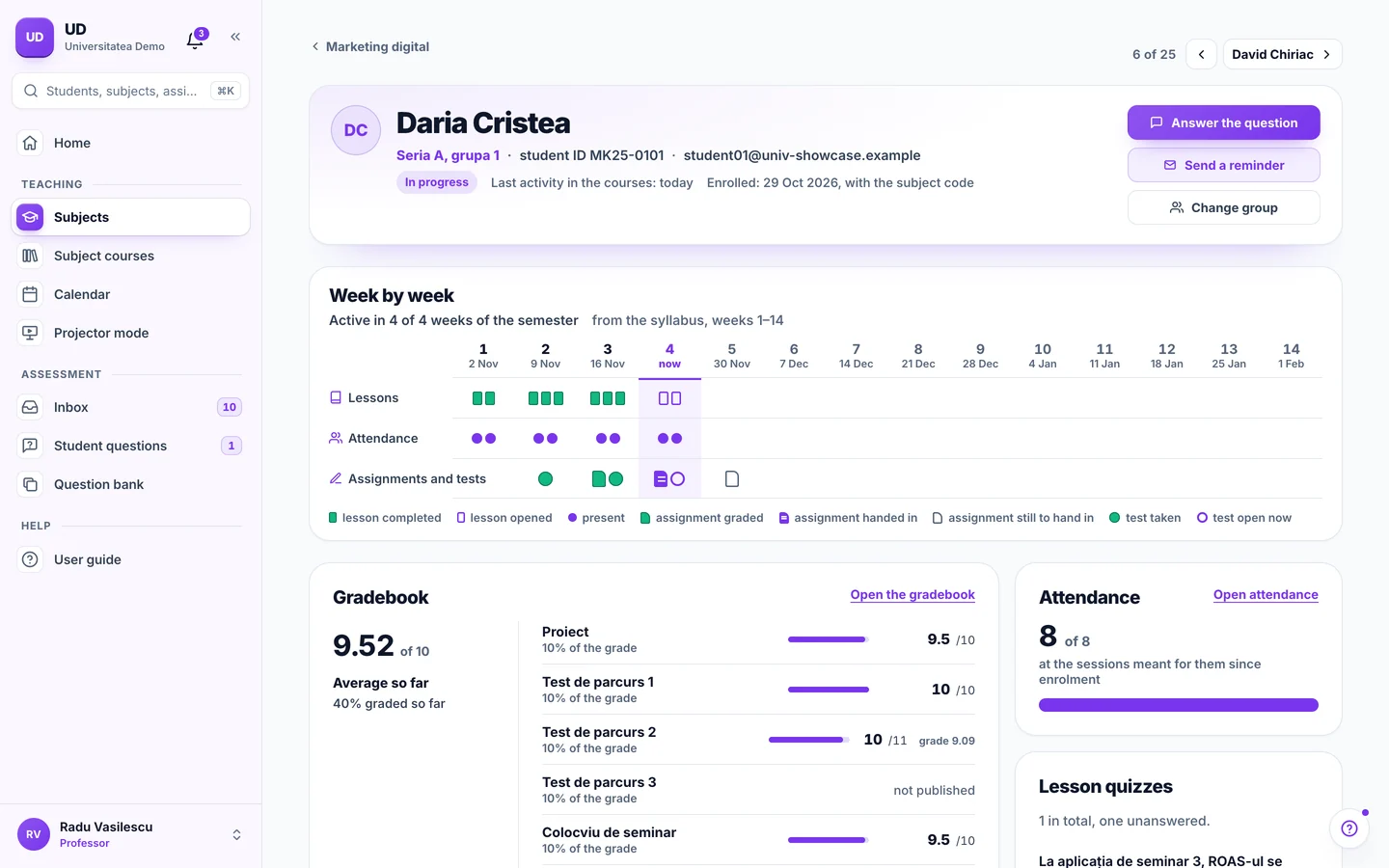
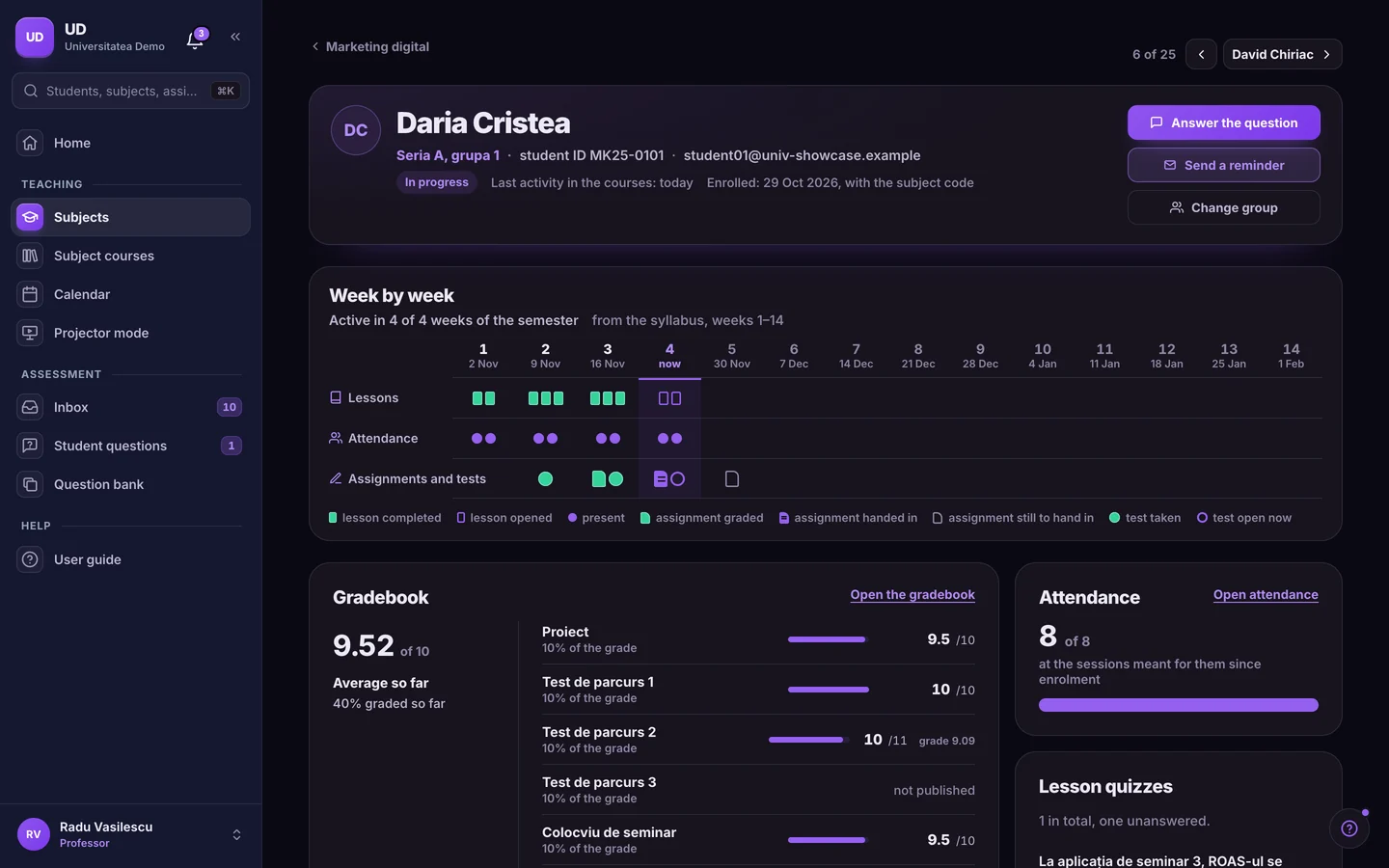
- Phone notifications start only with each person’s consent and stay silent from 22:00 to 07:00, except “Class is live now”; the lock screen never shows a grade.
- The student ID number never appears on the projector or in the live room.
- Material downloads are not tracked per student.
- Academic accounts receive no marketing email and load no analytics or advertising tools.
The professor does not see
- Conversations with the AI Professor
- Notes, bookmarks and study sheets
- Activity outside the subject
- Each student’s answer to quick questions (only how many chose each option)
Only the questions the student chooses to send from the lesson reach the professor.
04Materials
Every file goes through two checks
Materials and submissions sit in private, encrypted storage with no public addresses. Every download goes through the app, which checks the requester’s right each time.
- Accepted types
- PDF, DOCX, PPTX, XLSX, PNG, JPGrecognised by their content, not by the file name
- Check 1
- On upload: structurea PDF with active content or a document with macros is refused
- Check 2
- In storage: antivirusa dangerous file is blocked, deleted and recorded in the log
- Size
- Up to 25 MB per fileat most 500 MB and 100 materials per subject
- 1Structure, on uploada wrong file is refused
- 2Antivirus, in private storagehidden from students meanwhile
- 3Available to studentsonly after both checks
05Audit log
Who changed what and when
The university’s audit log records important actions with their author and time, in nine categories; the administrator filters it by action, text and period.
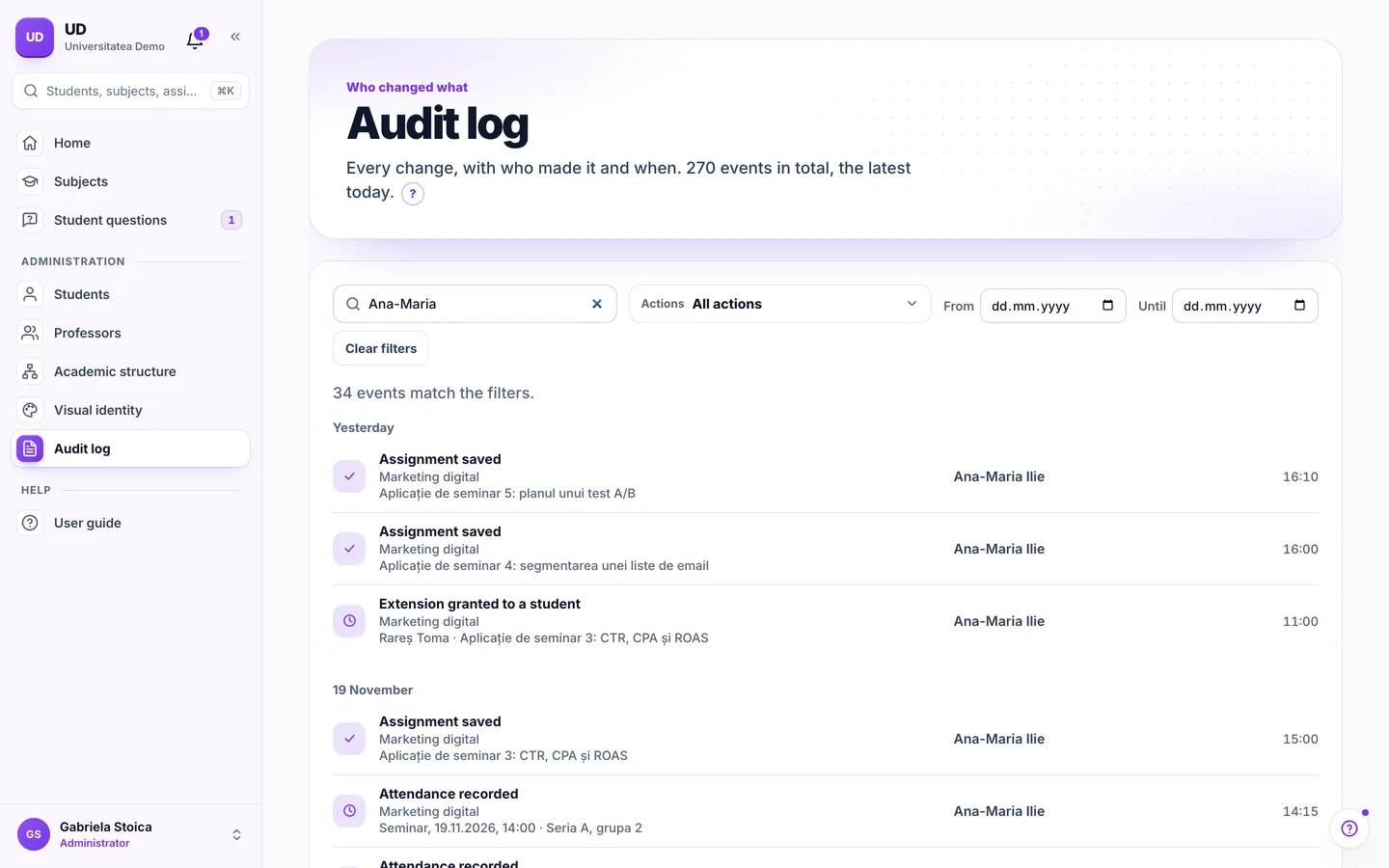
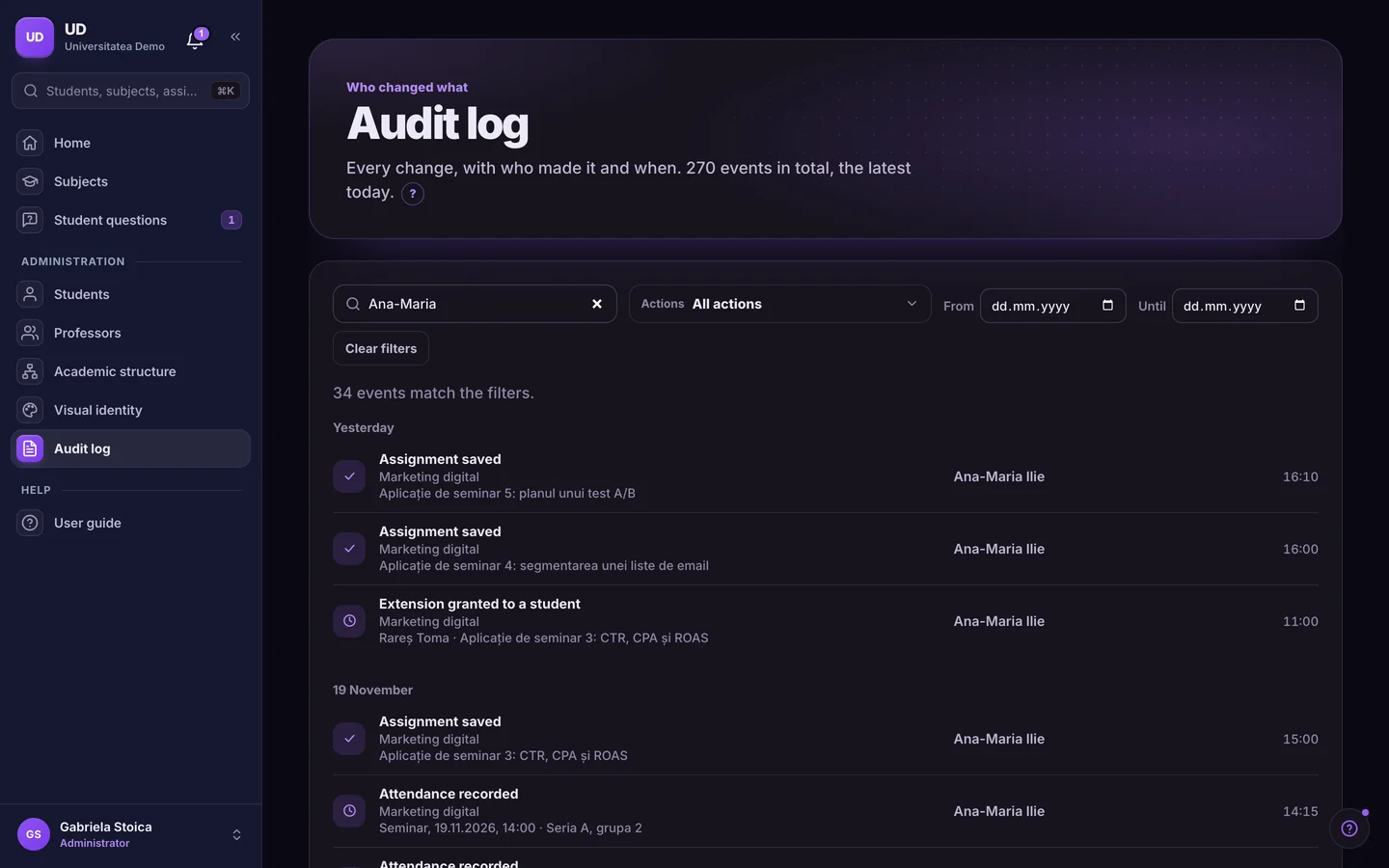
The nine categories
- People and access
- Students and enrolments
- Grades and appeals
- Assignments and tests
- Attendance and the live room
- Materials, announcements and discussions
- Subjects and courses
- Structure and series
- The university
- A changed grade stays in the log with its old and new value.
- Individual scans in the live room are not logged.
- When a member of staff deletes their account, the records stay with the university under “Deleted account”.
06When the contract ends
The university downloads its data, then it is deleted
When the contract ends the order is fixed: the university downloads its data, access stops, then the university’s data is deleted from the platform.
- Export
- Any time, by the administratorfrom members and structure to the gradebook, attendance, the log, materials and submissions
- Archive
- ZIP in parts, with CSV tablesup to 500 MB and 2,000 files per part, each scanned by the antivirus; the link is valid for 7 days
- Deletion
- After access stopsafter any export still running; administrators get a summary, in figures
- Personal accounts
- Stay with each personeveryone can export their data and delete their account
- 1Reminders30, 14, 7 and 1 day before
- 2Access end datedata is no longer changed
- 330 daysread-only, with downloads
- 4Access stopsfor the whole university
- 5Deletiona summary, in figures, by email
Where is the data hosted?
In the European Union: the platform, the accounts, the courses, the grades and the gradebook, the materials and the audit log are hosted in Frankfurt, and the database has a daily copy in Ireland. Questions to the AI Professor are not used to train the model. The providers and their safeguards are described in the privacy notice.
How are uploaded materials kept?
In private, encrypted storage with no public addresses; every download goes through the app, which checks the requester’s right. The file’s structure is checked on upload, and the antivirus scan runs before students can open it; a dangerous file is blocked, deleted and recorded in the log.
How are the accounts protected?
The app runs on its own domain, separate from this website, with its own sign-in and session. Wrong sign-in attempts are limited per account and per network, each role’s rights are checked on the server, and important actions stay in the university’s audit log.
Who is the controller of students’ data?
For students’ study data, the university is the controller and GALIAN SOFTWARE DEVELOPMENT SRL processes it on the university’s behalf, as processor, under the contract and the data processing agreement (GDPR Art. 28), both signed before the start. For each person’s account and for conversations with the AI Professor, the controller is GALIAN SOFTWARE DEVELOPMENT SRL, as for any user of the platform.
Who can download the university’s export?
Only the administrator who requested it and the platform team. The archive comes in parts, with CSV tables, each part is scanned by the antivirus, and the link stays valid for 7 days.
University by Cursuri AI
Bring your data protection officer to the demo
We present the data processing agreement and answer the questions of the IT department and the data protection officer.
- A demonstration on the demo university, for the faculty’s leadership, the registry and the teaching staff
- An offer based on professor seats, with a student cap for each seat
- The data processing agreement, signed before the first student enrols